T2 Chip and Anka co-existence

Since the release of new 2018 mac minis, we have received several questions from users on the impact of T2 security chip included in the new mac minis on Anka Build setup. This blog describes in detail how Anka technology foundation is agnostic to T2 and can co-exist with it.


There is enough written about the new T2 mac security chip, but as a quick summary, let’s look at the areas where it impacts existing mac administration and management workflows. T2 security chip is a security processor that is in charge of securing the following components of Mac hardware.


  • It validates the boot process (secure boot).
  • It does on-the-fly encryption of storage. Its full encryption with no performance loss due to software encrypt/decrypt I/O.
  • It protects the hardware from malicious usage scenario with hardware disconnect
    that ensures the microphone disables whenever the lid closes.

  • By default, all the new Mac Hardware including mac mini 2018 and newer iMac Pros have the T2 security chip enabled. So, what does it mean?


    1. Only certified operating systems, macOS and Windows, can boot on this hardware.


    2. NetBoot is not possible with Macs that have T2 hardware even when it is disabled.


    How does this affect the existing workflows?


      Installing other OS on top of Mac bare metal

    Before the introduction of T2 chip, it was possible to install software like ESXi, etc. on the Mac hardware. Now, even after disabling T2, access to SSD is still restricted, so booting from external USB is the only way to install other OS on the hardware. In this scenario, the OS can’t use the fast SSD inside the mac and will run on top of the slow USB device.


      Imaging

    Netboot has primarily been used to implement imaging in order to manage a group of macs. Now, with Netboot not working on the newer Mac hardware, it’s impossible to image a large group of macs consistently. It’s quite challenging now to set up and administer mac infrastructure for iOS CI.


    Anka installation on newer Macs is not impacted with T2 enabled. This is because Anka virtualization for macs is built on top of macOS hypervisor.framework. It works like any other mac application, which leverages and can work with full security on, utilizing all of the Mac hardware resources, including the fast internal SSD for maximum performance. So, Anka VMs can run with no impact of T2 enabled on the host machines.
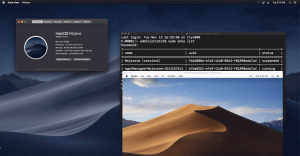


    Anka VM on 2018 mac mini


    Anka Build is an alternative to explore if you wish to set up an agile and scalable mac infrastructure to provision immutable, container-like macOS VMs on-demand for iOS/macOS CI. Anka Build now supports Mojave and APFS.
    Share this post

    anka-and-kubernetes
    On-Demand macOS VMs in Azure DevOps Pipelines with Anka
    Run macOS VMs in Azure DevOps Pipelines with Anka. Anklet-style on-demand agents are blocked by Microsoft self-hosted pools today; use a registered agent plus per-job Anka VMs.
    Read More
    AWS + Anka Build Cost Diagramv3
    Ephemeral macOS VMs on AWS EC2 Mac with Anka
    Run ephemeral macOS VMs on AWS EC2 Mac with Anka and Anklet. Pack more iOS CI capacity per instance, start jobs in seconds, and cut cost.
    Read More
    Screenshot 2025-01-08 at 2.16
    Enterprise macOS GitHub Actions Runners with Anka
    Run self-hosted macOS GitHub Actions at enterprise scale with Anka and Anklet: ephemeral Apple Silicon VMs, more control than hosted runners.
    Read More
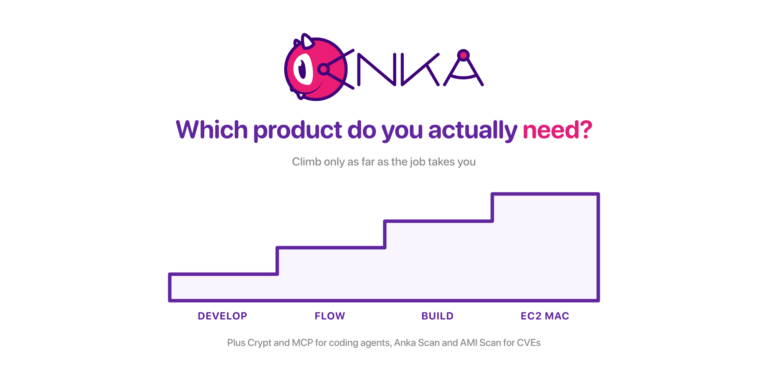
    The Anka product ladder: Develop, Flow, Build, and EC2 Mac as four ascending steps, with Crypt, MCP, Anka Scan, and AMI Scan named below
    Which Anka Product Do You Actually Need? A Walkthrough of the Whole Lineup
    A situation-first guide to every Veertu product: Anka Develop, Anka Flow, Anka Build, AWS EC2 Mac, Anka Crypt, Anka MCP, Anka Scan, and EC2 Mac AMI Scan, including the moment you move from one to the next.
    Read More
    anka2024v1-1536x768
    A Year of Anka: Highlights from 2024
    We’re starting a new annual tradition here at Veertu with our A Year of Anka blog posts. We want our customers to know how the product has grown over the past year and think this is a great avenue to do so. Please enjoy and happy holidays from all...
    Read More
    anka-or-1
    Anka vs Orka in 2024
    It has been several years since we made our first side by side comparison between Anka and Orka. A lot has changed, and we believe it’s important to make sure the information out there is accurate. We’ll be specifically addressing a newer...
    Read More
    networking-performancev1
    Unlocking Superior macOS VM Network Performance: Introducing Anka's new networking mode for Apple Silicon
    Large and complex enterprises using Anka have many different demands, and we have worked to continue to develop innovative technology to meet these demands. Enterprise infrastructure hardware is often on the cutting edge, and they need advanced capabilities...
    Read More
    gitlab-with-anka
    Anka Cloud Gitlab Executor
    Veertu’s Anka and the new Anka Cloud Gitlab Executor Veertu’s Anka is a suite of software tools built on the macOS virtualization platform. It enables the execution of single or multi-use macOS virtual machines (VMs) in a manner similar to Docker....
    Read More
    mac-scan-v1
    Real-Time CVE Scanning of your macOS Build Systems
    It’s common that an organization’s macOS build system will download thousands, sometimes tens of thousands of third-party dependencies every hour. When building and testing iOS applications, it typically downloads and installs third-party...
    Read More
    anka-on-silicon-v1
    The ONLY Fully Automated Apple Silicon macOS VM Creation Solution
    Starting in Anka 3.1 we announced that Anka is now able to fully automate the macOS installation processes, disabling SIP, and enabling VNC — all previously manual steps users had to perform inside o the VM. At the time of writing this article,...
    Read More