If you run iOS or macOS builds in Azure DevOps Pipelines, Microsoft-hosted agents only go so far. Self-hosted agents on Mac hardware work, but a long-lived Mac agent drifts, shares state between jobs, and is hard to scale cleanly. This post shows how to run macOS VMs in Azure DevOps with Anka Build: clone a template per pipeline run, execute your job inside the VM, publish artifacts, then delete the VM.
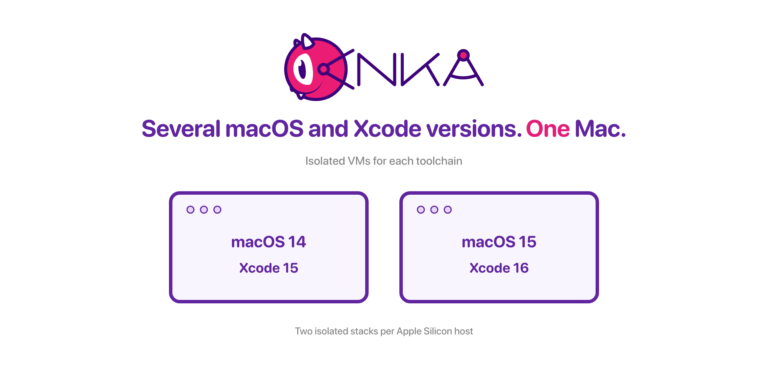
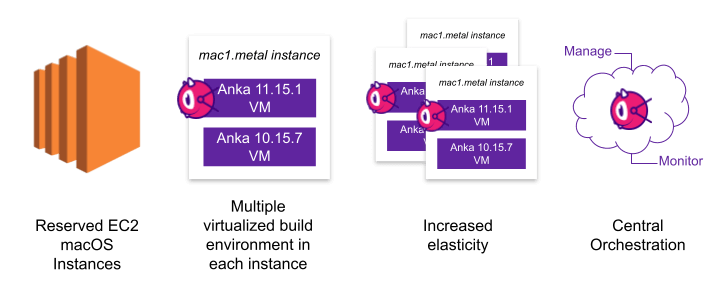
Anka Build creates and manages macOS VMs on Mac hosts in a container-like loop. You build VM templates, store them in Anka Registry, and start instances on local or cloud Macs (including AWS EC2 Mac). Multiple VMs can share one Mac, so one agent host can cover more concurrent pipeline jobs.
Anklet and Azure DevOps: what Microsoft blocks
For GitHub Actions, Anklet is the orchestrator that listens for jobs, starts an Anka VM, registers a runner, and cleans up when the job finishes. Developers keep normal workflow YAML; infra owns the fleet. See Enterprise macOS GitHub Actions Runners with Anka.
We want the same model for Azure DevOps. An Azure plugin is tracked in anklet#50, but standard self-hosted agent pools do not support true provision-on-demand. If no registered agent matches the job’s pool and demands at queue time, Azure rejects the job immediately instead of waiting for Anklet (or any provisioner) to start a VM and register an agent. Microsoft confirmed that waiting only happens when a matching agent already exists in the pool. Details and the support reply are in this anklet#50 comment.
If you need that behavior from Azure, upvote Microsoft’s request: Keep jobs waiting even if there are no agents that match demands. Until that changes, the reliable pattern is the one below: keep at least one self-hosted agent online in the pool, and have that agent clone an Anka VM for each pipeline run.
What you need
One Mac with Anka installed, at least one VM template/tag ready on that host, and an Azure DevOps project in your organization. Microsoft’s overview of Azure DevOps is here.
From Microsoft’s What is Azure Pipelines? docs:
“Azure Pipelines automatically builds and tests code projects to make them available to others. It works with just about any language or project type. Azure Pipelines combines continuous integration (CI) and continuous delivery (CD) to test and build your code and ship it to any target.”
Pipelines are YAML-driven, similar to GitHub Actions. Below is an example that prepares an Anka VM, runs Fastlane inside it, publishes results, and always cleans up. The agent in the pool is already registered; the “on-demand” part is the Anka VM, not the Azure agent itself.
trigger:
  - main

pool: 'Anka macOS'

parameters:
  - name: anka_vm_name
    displayName: "Anka VM Template Name or UUID"
    type: string
    default: '11.5.2'
  - name: anka_vm_tag_name
    displayName: "Anka VM Tag Name"
    type: string
    default: 'vanilla+port-forward-22+brew-git'
  - name: lane_name
    displayName: "Fastlane Lane Name"
    type: string
    default: ''
  - name: lane_parameters
    displayName: "Fastlane Parameters"
    type: string
    default: ''
  - name: publishFolder
    displayName: "Artifact Publish Folder"
    type: string
    default: ''
  - name: artifactFolderName
    displayName: "Artifact Folder Name"
    type: string
    default: 'Artifacts'
  - name: publishTest
    displayName: "Publish Test Path"
    type: string
    default: ''
  - name: publishCodeCoverageFolderName
    displayName: "Publish Code Coverage Folder"
    type: string
    default: ''
  - name: rubyVersion
    displayName: "Ruby Version"
    type: string
    default: 'ruby-2.7.0'
  - name: match_pass_key
    displayName: "Match Password"
    type: string
    default: 'Password Here'
  - name: git_token_key
    displayName: "Git Token"
    type: string
    default: 'Token Here'

steps:

  - task: Bash@3
    displayName: 'Create Anka VM'
    inputs:
      targetType: 'inline'
      script: |
        # Pull one template at a time on a node to avoid registry corruption.
        while [[ -f "/tmp/registry-pull-lock-${{ parameters.anka_vm_name }}" ]]; do
          echo "Lock file found... Another job on this node is pulling a tag for ${{ parameters.anka_vm_name }}. Sleeping for 20 seconds..."
          sleep 20
        done

        touch "/tmp/registry-pull-lock-${{ parameters.anka_vm_name }}"

        # Optional: pull latest from Anka Registry before clone
        # anka registry pull ${{ parameters.anka_vm_name }} -t ${{ parameters.anka_vm_tag_name }}

        anka clone ${{ parameters.anka_vm_name }} ado-fastlane+$(Build.Repository.Name)_$(Build.SourceBranchName)_$(Build.SourceVersion)_$(Build.BuildNumber)_$(Agent.Name)

  - task: Bash@3
    displayName: 'Unlock Anka VM pull'
    condition: always()
    inputs:
      targetType: 'inline'
      script: |
        rm -f "/tmp/registry-pull-lock-${{ parameters.anka_vm_name }}"

  - task: Bash@3
    displayName: 'Prepare Anka VM working directory'
    inputs:
      targetType: 'inline'
      script: |
        anka start ado-fastlane+$(Build.Repository.Name)_$(Build.SourceBranchName)_$(Build.SourceVersion)_$(Build.BuildNumber)_$(Agent.Name)
        anka cp -fa ./ ado-fastlane+$(Build.Repository.Name)_$(Build.SourceBranchName)_$(Build.SourceVersion)_$(Build.BuildNumber)_$(Agent.Name):./work/

  - task: Bash@3
    displayName: 'Run fastlane in Anka VM'
    inputs:
      targetType: 'inline'
      script: |
        anka run --env --no-volume --wait-network --wait-time ado-fastlane+$(Build.Repository.Name)_$(Build.SourceBranchName)_$(Build.SourceVersion)_$(Build.BuildNumber)_$(Agent.Name) bash -c "cd work
        bundle install
        bundle exec fastlane ${{ parameters.lane_name }} ${{ parameters.lane_parameters }}"

  - task: Bash@3
    displayName: "Copy results from Anka VM"
    inputs:
      targetType: 'inline'
      script: |
        anka cp -fa ado-fastlane+$(Build.Repository.Name)_$(Build.SourceBranchName)_$(Build.SourceVersion)_$(Build.BuildNumber)_$(Agent.Name):work/ $(Build.ArtifactStagingDirectory)/../s/vm_result/

  - ${{ if ne(parameters.publishFolder, '') }}:

    - task: PublishBuildArtifacts@1
      displayName: 'Publish artifacts'
      inputs:
        pathToPublish: '$(Build.ArtifactStagingDirectory)/../s/vm_result/${{ parameters.publishFolder }}'
        artifactFolderName: '${{ parameters.artifactFolderName }}'

  - ${{ if ne(parameters.publishTest, '') }}:

    - task: PublishTestResults@2
      displayName: 'Upload test results'
      inputs:
        testResultsFormat: 'JUnit'
        testResultsFiles: '$(Build.ArtifactStagingDirectory)/../s/vm_result/${{ parameters.publishTest }}'
        testRunTitle: 'Unit Tests'

  - ${{ if ne(parameters.publishCodeCoverageFolderName, '') }}:

    - task: UseDotNet@2
      displayName: 'Setting up Code Coverage'
      inputs:
        version: '5.0.x'
    - task: publishCodeCoverageFolderNameResults@1
      displayName: 'Upload code coverage results'
      inputs:
        codeCoverageTool: 'Cobertura'
        summaryFileLocation: '$(Build.ArtifactStagingDirectory)/../s/vm_result/${{ parameters.publishCodeCoverageFolderName }}/xml/cobertura.xml'

  - task: Bash@3
    displayName: "Cleanup Anka VM"
    condition: always()
    inputs:
      targetType: 'inline'
      script: |
        anka delete --yes ado-fastlane+$(Build.Repository.Name)_$(Build.SourceBranchName)_$(Build.SourceVersion)_$(Build.BuildNumber)_$(Agent.Name)
Register a self-hosted agent, then run the YAML
The maintained copy lives in our Azure DevOps examples repo. The pool value must match a self-hosted agent pool that already has at least one online agent. Download the latest agent from microsoft/azure-pipelines-agent, unpack it on the Mac, and register it to a pool such as Anka macOS using Microsoft’s macOS agent docs.
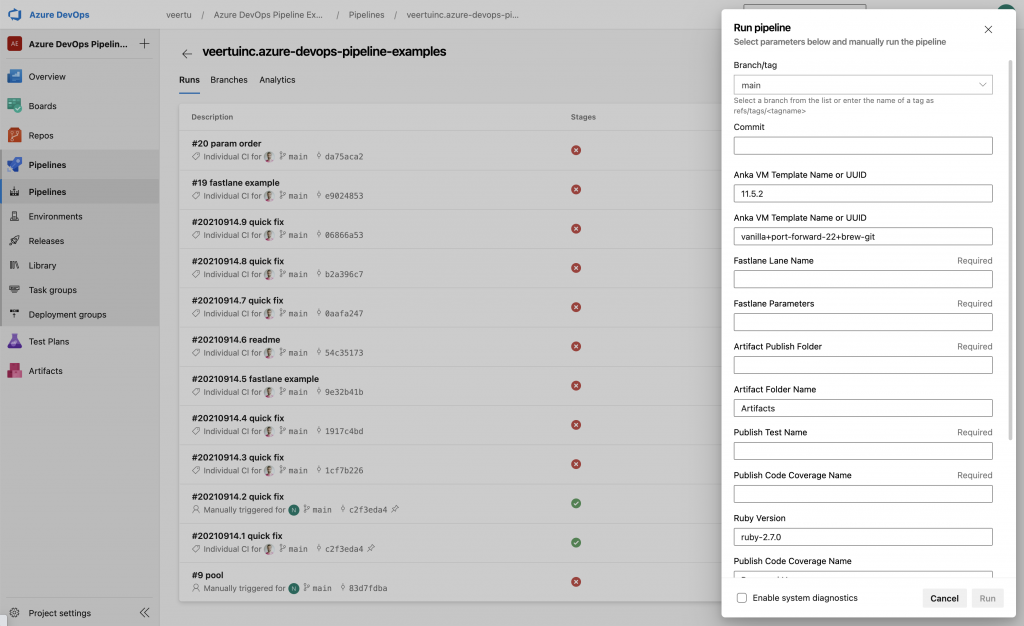
After the agent is Idle in that pool, run the YAML. Override parameters at queue time when you need a different template, tag, or Fastlane lane:
How the job uses Anka
The early steps clone from a VM template into a unique instance name. Treat the template as read-only so later runs do not inherit leftover packages or credentials.
Azure Pipelines clones your repo onto the agent host. The pipeline then copies that working tree into the VM with anka cp, runs commands via anka run, and copies results back for Publish tasks.
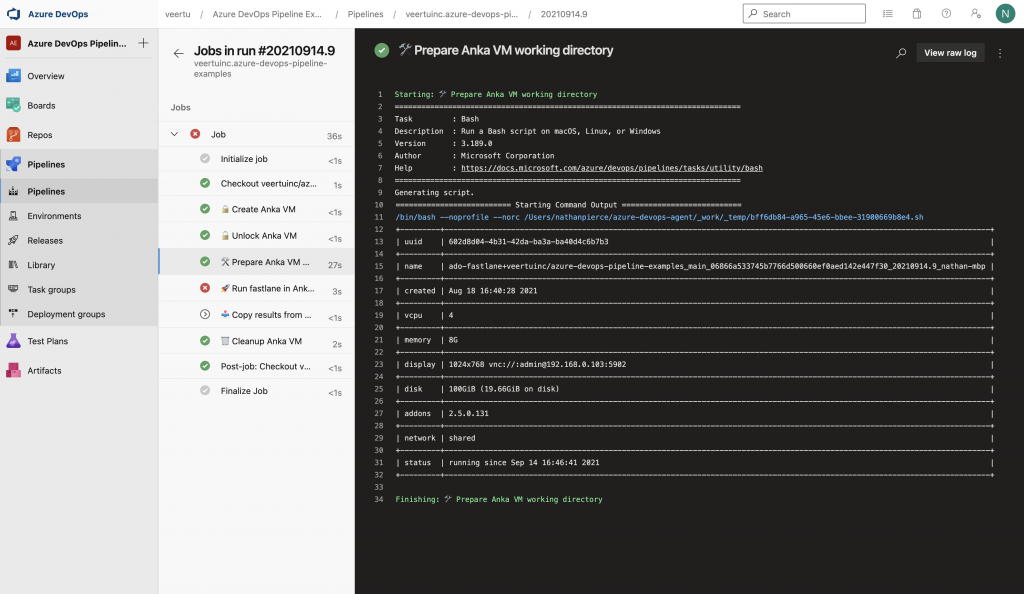
Always delete the VM with condition: always() so failed jobs do not leave orphans on the host.
Because the pipeline YAML lives in the repo, app teams can adjust build and test steps without waiting on a custom Azure task. Developers can also validate steps locally with Anka Develop before pushing.
Next steps
- Use the Azure DevOps examples repo (PRs welcome)
- Follow Azure + Anklet status on anklet#50
- Upvote Microsoft’s keep jobs waiting request
- For GitHub Actions-style on-demand runners today, see the Anklet + GitHub Actions guide
- Related: ephemeral macOS VMs on AWS EC2 Mac
- Questions: support@veertu.com