Real-Time CVE Scanning of your macOS Build Systems

It’s common that an organization’s macOS build system will download thousands, sometimes tens of thousands of third-party dependencies every hour. When building and testing iOS applications, it typically downloads and installs third-party dependencies directly on the host machine used by your build system. These dependencies can be libraries, frameworks, or even entire applications. Along with these dependencies are potential security vulnerabilities. If these vulnerabilities are not patched, they can be exploited by attackers to gain access to the CI systems and even be included in the final build released to your users. This is why we’ve created a solution for real-time CVE scanning of your macOS build systems.

Traditional CVE scanning tools for macOS are typically avoided for scanning of CVEs during the build as they consume significant computing resources and impact the performance of the build and test jobs. This can lead to delays and failures which are painful to diagnose.

Veertu’s Mac Scan is built specifically to address this challenge. Veertu’s Mac Scan is a CVE scanning tool that is specifically designed to be used in iOS CI or macOS build and test environments. It runs in two modes: full scan and real-time scan.

The full scan mode scans the entire filesystem or a specific path for known CVEs. The real-time scan mode scans all filesystem change events (downloads, installs, etc) for known CVEs.

❯ mac-scan-cli full-scan
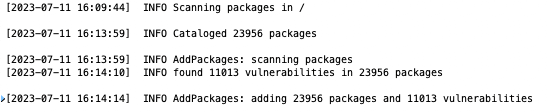
The real-time-scan mode is designed to be used in CI/CD pipelines or on developer machines, catching problems before they are published or available to end users. It’s designed to use minimal resources and has been proven to not impact build times.

❯ mac-scan-cli status
Service State: 		Active
Real-Time Scan State: 	Stopped

❯ mac-scan-cli real-time-scan start

❯ mac-scan-cli status
Service State: 		Active
Real-Time Scan State: 	Running


Once scanned, results are available through the CLI or even a REST API. They can be formatted as json, sorted, and even filtered.
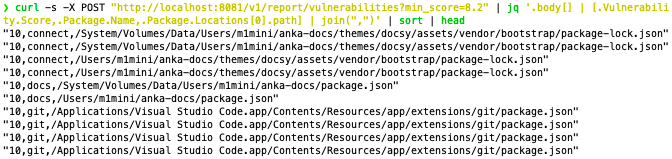
Veertu’s Mac Scan guarantees that any accidental or untracked downloads will not result in the introduction of known CVE on the sensitive build and test CI systems. This is because the real-time scan mode scans all events on the filesystem, including downloads. Veertu’s Mac Scan works on bare metal mac hosts, AWS EC2 Macs, and also inside macOS VMs.

We recommend that build system engineers, especially iOS DevOps teams, install Veertu’s Mac Scan on their build systems and integrate the real-time scan in their CI/CD pipeline execution. This will help to ensure that their build and test systems are free of known CVEs.
Share this post

Cursor Origin logo above an Origin PR to Buildkite to Anka VM flow for macOS CI on hardware you control.
Cursor Origin, Buildkite, and Anka: macOS CI on Agent-Hosted Repos
Cursor Origin now connects Buildkite for CI on Origin-hosted repos. Pair that with Anka's Buildkite plugin so each job runs in a disposable macOS VM on hardware you control.
Read More
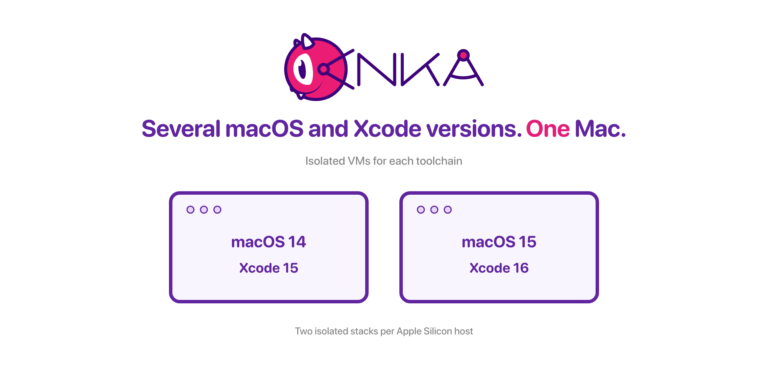
Anka wordmark above two isolated VM windows: macOS 14 with Xcode 15, and macOS 15 with Xcode 16, on one Mac.
Running Several macOS and Xcode Versions Side by Side on One Mac
Run concurrent Anka macOS VMs with different OS and Xcode stacks on one host: density math for vCPU and RAM, and why per-project templates beat a shared mutable machine.
Read More
anka-and-kubernetes
On-Demand macOS VMs in Azure DevOps Pipelines with Anka
Run macOS VMs in Azure DevOps Pipelines with Anka. Anklet-style on-demand agents are blocked by Microsoft self-hosted pools today; use a registered agent plus per-job Anka VMs.
Read More
AWS + Anka Build Cost Diagramv3
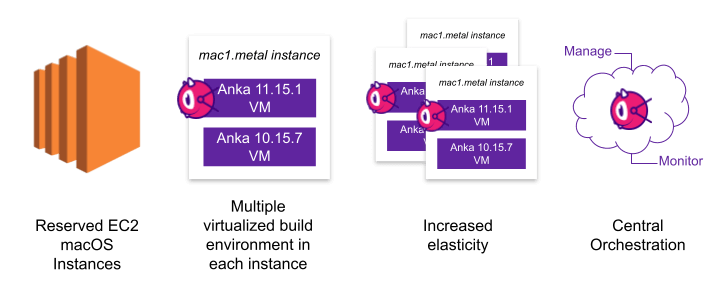
Ephemeral macOS VMs on AWS EC2 Mac with Anka
Run ephemeral macOS VMs on AWS EC2 Mac with Anka and Anklet. Pack more iOS CI capacity per instance, start jobs in seconds, and cut cost.
Read More
Screenshot 2025-01-08 at 2.16
Enterprise macOS GitHub Actions Runners with Anka
Run self-hosted macOS GitHub Actions at enterprise scale with Anka and Anklet: ephemeral Apple Silicon VMs, more control than hosted runners.
Read More
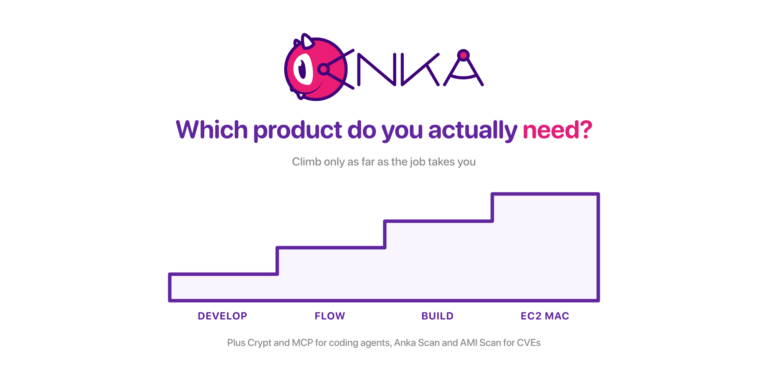
The Anka product ladder: Develop, Flow, Build, and EC2 Mac as four ascending steps, with Crypt, MCP, Anka Scan, and AMI Scan named below
Which Anka Product Do You Actually Need? A Walkthrough of the Whole Lineup
A situation-first guide to every Veertu product: Anka Develop, Anka Flow, Anka Build, AWS EC2 Mac, Anka Crypt, Anka MCP, Anka Scan, and EC2 Mac AMI Scan, including the moment you move from one to the next.
Read More
anka2024v1-1536x768
A Year of Anka: Highlights from 2024
We’re starting a new annual tradition here at Veertu with our A Year of Anka blog posts. We want our customers to know how the product has grown over the past year and think this is a great avenue to do so. Please enjoy and happy holidays from all...
Read More
anka-or-1
Anka vs Orka in 2024
It has been several years since we made our first side by side comparison between Anka and Orka. A lot has changed, and we believe it’s important to make sure the information out there is accurate. We’ll be specifically addressing a newer...
Read More
networking-performancev1
Unlocking Superior macOS VM Network Performance: Introducing Anka's new networking mode for Apple Silicon
Large and complex enterprises using Anka have many different demands, and we have worked to continue to develop innovative technology to meet these demands. Enterprise infrastructure hardware is often on the cutting edge, and they need advanced capabilities...
Read More
gitlab-with-anka
Anka Cloud Gitlab Executor
Veertu’s Anka and the new Anka Cloud Gitlab Executor Veertu’s Anka is a suite of software tools built on the macOS virtualization platform. It enables the execution of single or multi-use macOS virtual machines (VMs) in a manner similar to Docker....
Read More