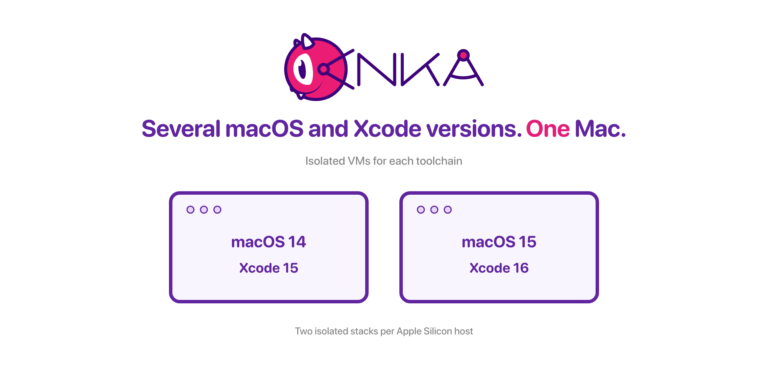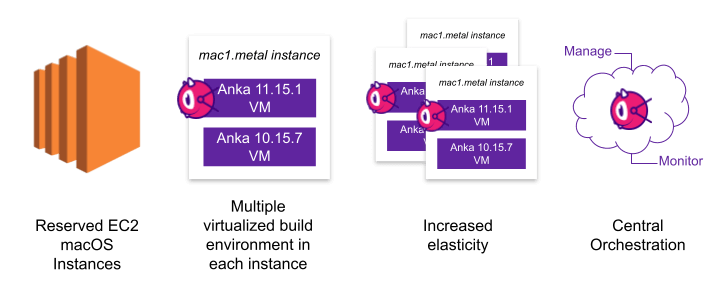

Enterprise teams that need self-hosted macOS GitHub Actions runners usually outgrow GitHub-hosted macOS minutes: concurrency caps, limited image control, and weak isolation for iOS/macOS CI. Anka gives you ephemeral Apple Silicon VMs. Anklet connects those VMs to GitHub Actions so developers keep writing workflows while infra owns the runner fleet.
This guide covers why enterprises pick Anka for GitHub Actions macOS capacity, how Anklet works, and a full setup path (receiver + handler plugins, workflow labels, and metrics). Official docs also live under Using GitHub Actions and Anka Build.
Why enterprise macOS CI outgrows hosted runners
GitHub Actions YAML is familiar: pick a runs-on label, run steps, ship artifacts. Hosted macOS runners work for light jobs. At enterprise scale you hit real constraints:
- Hosted concurrency and macOS minutes get expensive and hard to forecast.
- You cannot fully own the Xcode / toolchain image the way Linux teams own containers.
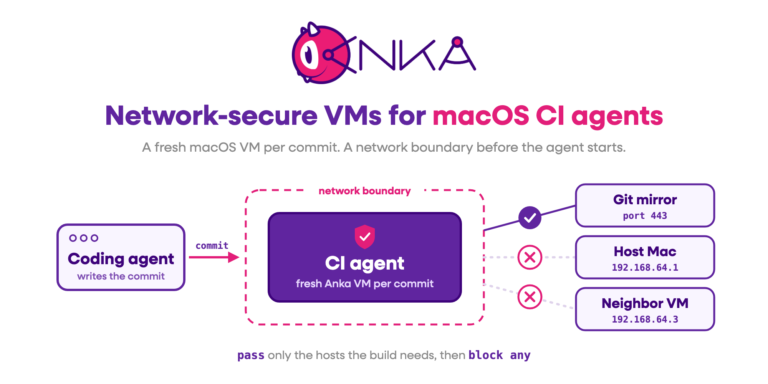
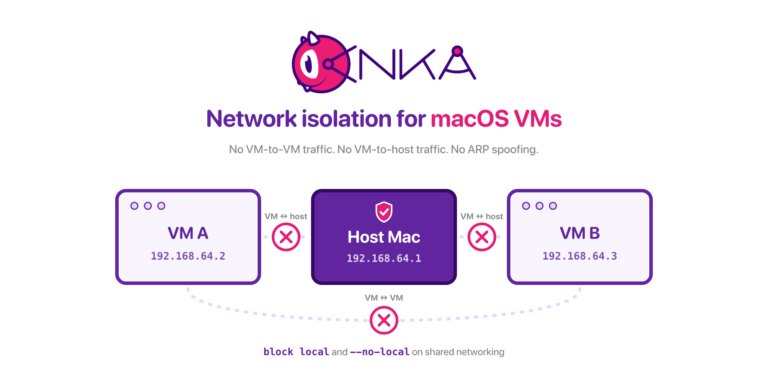
- Long-lived bare Mac agents drift; secrets and leftover state leak across jobs.
- Developers should not have to debug Anka or host networking inside every workflow.
In 2024, several customers asked us for GitHub Actions support that our older Actions plugins could not deliver. We collected those requirements and built Anklet around them: on-demand, ephemeral macOS runners, with Anka kept out of the developer critical path.
What Anklet does for GitHub Actions
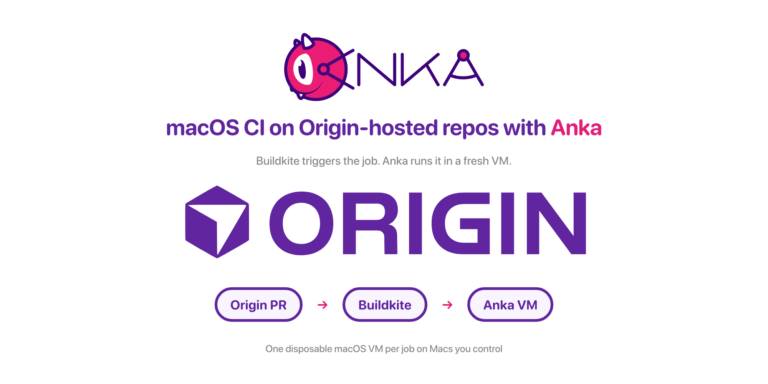
Anka already gives teams a Docker-like loop for macOS: bake VM templates, push tags to a registry, start clean VMs per job. Anklet is the plugin runtime that talks to CI systems. For GitHub Actions it ships two plugins that work together:
- Webhook Receiver: listens for GitHub workflow job webhooks and queues them (Mac or Linux).
- Workflow Run Job Handler: pulls a queued job, clones/starts an Anka VM, registers a runner, and lets GitHub execute the job inside that VM (macOS + Anka CLI required).
Infra and DevOps run Anklet. Developers keep normal GitHub Actions workflows and target Anka template labels. That split is what makes this workable for enterprise macOS CI.
Getting Started with Anklet and GitHub Actions
We’re going to use a single macOS host for the setup. This allows us to keep things simple and have one Anklet run everything we need. In a production setup, you’d likely instead use a combination of Linux and macOS hosts to run Anklet Github Actions plugins.
Additionally, we will not be using the Anka Build Cloud Registry and all you’ll need to do is install the Anka CLI and create a VM Template so that it’s ready to use on the host.
With the GitHub Actions plugins, there is a Receiver Plugin and a Handler Plugin.
- The GitHub Actions Receiver Plugin is a web server that listens for webhooks GitHub sends and then places the events in the database/queue. It can run on Mac and Linux.
- The GitHub Actions Handler Plugin is responsible for pulling a job from the database/queue, preparing a macOS VM, and registering it to the repo’s action runners so it can execute the job inside. It can only run on macOS as it needs access to the Anka CLI.
Prepare Your Anklet Base
- Set up your redis database on the host.
- Download the binary from the releases page.
- Create a
~/.config/anklet/config.ymlfile with the following contents. We’ll configure the plugins next.
---
work_dir: /tmp/
pid_file_dir: /tmp/
# If you want to use the same database for all your plugins, you can set them below:
# global_database_url: localhost
# global_database_port: 6379
# global_database_user: ""
# global_database_password: ""
# global_database_database: 0
# global_private_key: /Users/{YOUR USER HERE}/.private-key.pem # If you use the same key for all your plugins, you can set it here.
# plugins_path: ~/.config/anklet/plugins/ # This sets the location where scripts used by plugins are stored; we don't recommend changing this.
plugins:
Uncomment and configure the global_database_* to match the values of your database.
Setup Receiver
The most recent and verbose version of this guide can be found on GitHub.
What you need:
- An active database the Receiver can access. It needs to be the same database as the GitHub Handler Plugin. [Setup Guide]
- Some sort of Auth method like a PAT or a GitHub App for the repo you want to receive webhooks for. They need
Administration,Webhooks, andActionsset toRead and write. - A way to receive webhook POSTs. This can be a public URL or IP that points to the server running the Anklet GitHub Receiver. GitHub will send the webhook to this endpoint over the internet.
In the config.yml, you can define the github_receiver plugin as follows:
NOTE: Plugin name MUST be unique across all hosts and plugins in your Anklet cluster.
---

. . .

plugins:
  - name: GITHUB_WEBHOOK_RECEIVER_1
    plugin: github_receiver
    hook_id: 489747753
    port: 8080
    secret: 12345
    private_key: /Users/{YOUR USER HERE}/private-key.pem
    app_id: 949431
    installation_id: 52970581
    # repo: anklet # Optional; if you want to receive webhooks for a specific repo and not at the org level
    owner: veertuinc
Some things to note:
- If you leave off
repo, the receiver will be an organization level receiver. - The receiver must come FIRST in the
plugins:list. Do not place it after other plugins. - IMPORTANT: On first start, it will scan for failed webhook deliveries for the past 24 hours and send a re-delivery request for each one. This is to ensure that all webhooks are delivered and processed and nothing in your plugins are orphaned or database. Avoid excessive restarts or else you’ll eat up your API limits quickly. You can use
skip_redeliver: trueto disable this behavior.
Once configured, you can run Anklet and, if everything is configured properly, you should see logs like this:
{"time":"2025-01-06T10:38:23.198354-06:00","level":"INFO","msg":"starting plugin","ankletVersion":"0.11.2","pluginName":"GITHUB_WEBHOOK_RECEIVER"}

{"time":"2025-01-06T10:38:23.199399-06:00","level":"INFO","msg":"listing hook deliveries for the last 24 hours to see if any need redelivery (may take a while)...","ankletVersion":"0.11.2","pluginName":"GITHUB_WEBHOOK_RECEIVER","plugin":"github_receiver"}


{"time":"2025-01-06T10:38:27.186532-06:00","level":"INFO","msg":"started plugin","ankletVersion":"0.11.2","pluginName":"GITHUB_WEBHOOK_RECEIVER","plugin":"github_receiver"}
It should now be ready to receive webhooks! You can now set up a webhook to send events to this receiver.
Webhook Trigger Setup
/jobs/v1/receiver – This is the endpoint that Github will send the webhook to. This is where the receiver will receive the webhook and store it in the database.
- Find your repo (or organization) in github.com
- Click on
Settings - Click on
Webhooks - Click on
Add webhook - Set the
Payload URLto the Public IP or URL that points to the server running the Anklet Github Receiver +/jobs/v1/receiver. So for example:http://{PUBLIC IP OR URL}:8080/jobs/v1/receiver - Set
Content Typetoapplication/json - Set the
Secretto thesecretfrom theconfig.yml SSL verificationis up to you.- Choose
Workflow jobsas the event to trigger/receive - Make sure
Activeis enabled - Click on
Add webhook
Once added, GitHub will now send any Workflow Job events to the Receiver to consider.
You can now stop Anklet (ctrl+c) as we’re going to add more plugins to it.
Setup Handler
The most recent and verbose instructions can be found on GitHub.
What you need:
- An Anka VM on the same host Anklet is running.
- A database to pull the queued-up jobs. Use the same as the Receiver.
The GitHub Handler Plugin is responsible for pulling a job from the database queue, preparing a macOS VM, and registering it to the GitHub repo or organization as an action runner so it can execute the job inside.
Note: The GitHub Handler Plugin will pull jobs from the database queue in order of creation. The GitHub Webhook Receiver Plugin will place the jobs in the database queue in the order they’re created.
Let’s add the following to our config.yml:
---

. . .

plugins:

. . .

  - name: RUNNER1
    plugin: github
    # token: github_pat_XXX # Instead of PAT, you can create a github app for your org/repo and use its private_key instead.
    private_key: /path/to/private/key
    app_id: 12345678 # Org > Settings > Developer settings > GitHub Apps > New GitHub App
    installation_id: 12345678 # You need to install the app (Org > Settings > Developer settings > GitHub Apps > Install App > select your Repo > then check the URL bar for the installation ID)
    registration: repo
    # repo: anklet # Optional; only needed if registering a specific runner for a repo, otherwise it will be an org level runner.
    owner: veertuinc
    # runner_group: macOS # requires Enterprise github
    skip_pull: true # prevents pulling from the Anka Build Cloud Registry
You’ll of course need to update the values appropriately. Once updated, you can then start the anklet service and check the logs to see if it worked. They should look something like:
{"time":"2025-01-07T17:30:58.646591-06:00","level":"INFO","msg":"starting anklet","ankletVersion":"dev"}
{"time":"2025-01-07T17:30:58.646953-06:00","level":"INFO","msg":"metrics server started on port 8080","ankletVersion":"dev"}
{"time":"2025-01-07T17:30:58.74502-06:00","level":"INFO","msg":"starting plugin","ankletVersion":"dev","pluginName":"RUNNER1"}
{"time":"2025-01-07T17:30:58.789134-06:00","level":"INFO","msg":"checking for jobs....","ankletVersion":"dev","pluginName":"RUNNER1","plugin":"github","owner":"veertuinc"}
If this is what you see, you can now configure a workflow to request a macOS VM from the anklet service.
Create A GitHub Actions Workflow
We’ll keep the example simple. This guide assumes the host machine already has an Anka VM on the host we can clone from and run for your jobs.
You can read over the official GitHub Actions Workflow guide too.
What you need:
- An Anka VM on the same host Anklet is running.
You’ll go into your GitHub repo and create .github/workflows/test.yml under the root.
name: 'testing-anklet'
on:
  workflow_dispatch:

jobs:
  testJob:
    runs-on: [
      "anka-template:{YOUR ANKA VM UUID HERE}",
    ]
    steps:
      - uses: actions/checkout@v3
      - run: |
          ls -laht
          sw_vers

          hostname
          echo "123"
The anka-template needs to be the UUID of the VM to target. You can get this by running anka list on the host where you created the VM.
Once that’s saved, you can now kick off the workflow run from the github UI and watch the Anklet logs to see the progress. It should indicate what it’s doing to run the job inside of the VM.
Monitoring
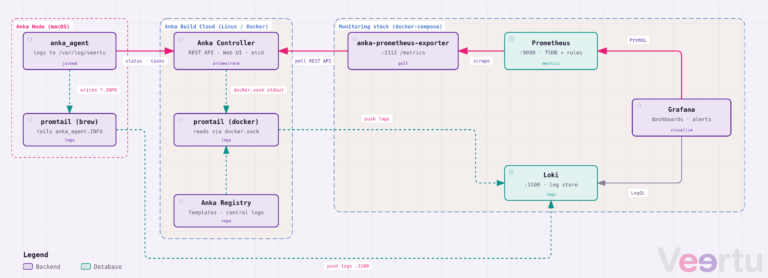
Anklet also comes with built in Metrics for both Prometheus and raw JSON. Not only does each instance of Anklet have metrics endpoints at :8080/metrics/v1?format=prometheus and :8080/metrics/v1?format=json, but you can also run a separate Anklet as an aggregator service.
Each Anklet instance will store its metrics for each plugin to the database. An Anklet metrics aggregation service will then scan the DB for these and place them into a single endpoint you can consume.
You can find documentation about regular metrics and the aggregator service on our github.
Here is an example of the prometheus metrics from the aggregator:
plugin_status{name=RUNNER1,owner=veertuinc} idle
plugin_last_successful_run{name=RUNNER1,owner=veertuinc,job_url=https://api.github.com/repos/veertuinc/anklet/actions/jobs/35269653289} 2025-01-07T11:59:21-06:00
plugin_last_failed_run{name=RUNNER1,owner=veertuinc,job_url=https://api.github.com/repos/veertuinc/anklet/actions/jobs/35269648602} 2025-01-07T11:56:47-06:00
plugin_last_canceled_run{name=RUNNER1,owner=veertuinc,job_url=https://github.com/veertuinc/anklet/actions/runs/12656636499/job/35269646979} 2025-01-07T11:55:53-06:00
plugin_status_since{name=RUNNER1,owner=veertuinc,status=idle} 2025-01-07T11:52:47-06:00
plugin_total_ran_vms{name=RUNNER1,plugin=github,owner=veertuinc} 5
plugin_total_successful_runs_since_start{name=RUNNER1,plugin=github,owner=veertuinc} 4
plugin_total_failed_runs_since_start{name=RUNNER1,plugin=github,owner=veertuinc} 1
plugin_total_canceled_runs_since_start{name=RUNNER1,plugin=github,owner=veertuinc} 1
host_cpu_count{name=RUNNER1,owner=veertuinc} 12
host_cpu_used_count{name=RUNNER1,owner=veertuinc} 1
host_cpu_usage_percentage{name=RUNNER1,owner=veertuinc} 12.390755
host_memory_total_bytes{name=RUNNER1,owner=veertuinc} 38654705664
host_memory_used_bytes{name=RUNNER1,owner=veertuinc} 24571248640
host_memory_available_bytes{name=RUNNER1,owner=veertuinc} 14083457024
host_memory_usage_percentage{name=RUNNER1,owner=veertuinc} 63.565996
host_disk_total_bytes{name=RUNNER1,owner=veertuinc} 994662584320
host_disk_used_bytes{name=RUNNER1,owner=veertuinc} 621074538496
host_disk_available_bytes{name=RUNNER1,owner=veertuinc} 373588045824
host_disk_usage_percentage{name=RUNNER1,owner=veertuinc} 62.440726
last_update{name=RUNNER1,owner=veertuinc} 2025-01-07T12:01:47-06:00
plugin_status{name=RUNNER2,owner=veertuinc} idle

plugin_last_successful_run{name=RUNNER2,owner=veertuinc,job_url=https://api.github.com/repos/veertuinc/anklet/actions/jobs/35269653543} 2025-01-07T11:59:29-06:00
plugin_last_failed_run{name=RUNNER2,owner=veertuinc,job_url=} 0001-01-01T00:00:00Z
plugin_last_canceled_run{name=RUNNER2,owner=veertuinc,job_url=https://github.com/veertuinc/anklet/actions/runs/12656636751/job/35269647515} 2025-01-07T11:55:56-06:00
plugin_status_since{name=RUNNER2,owner=veertuinc,status=idle} 2025-01-07T11:52:48-06:00
plugin_total_ran_vms{name=RUNNER2,plugin=github,owner=veertuinc} 5
plugin_total_successful_runs_since_start{name=RUNNER2,plugin=github,owner=veertuinc} 5
plugin_total_failed_runs_since_start{name=RUNNER2,plugin=github,owner=veertuinc} 0
plugin_total_canceled_runs_since_start{name=RUNNER2,plugin=github,owner=veertuinc} 1
host_cpu_count{name=RUNNER2,owner=veertuinc} 12
host_cpu_used_count{name=RUNNER2,owner=veertuinc} 1
host_cpu_usage_percentage{name=RUNNER2,owner=veertuinc} 12.390755
host_memory_total_bytes{name=RUNNER2,owner=veertuinc} 38654705664
host_memory_used_bytes{name=RUNNER2,owner=veertuinc} 24571248640
host_memory_available_bytes{name=RUNNER2,owner=veertuinc} 14083457024
host_memory_usage_percentage{name=RUNNER2,owner=veertuinc} 63.565996
host_disk_total_bytes{name=RUNNER2,owner=veertuinc} 994662584320
host_disk_used_bytes{name=RUNNER2,owner=veertuinc} 621074538496
host_disk_available_bytes{name=RUNNER2,owner=veertuinc} 373588045824
host_disk_usage_percentage{name=RUNNER2,owner=veertuinc} 62.440726
last_update{name=RUNNER2,owner=veertuinc} 2025-01-07T12:01:47-06:00
plugin_status{name=GITHUB_RECEIVER,owner=veertuinc} running
plugin_status_since{name=GITHUB_RECEIVER,owner=veertuinc,status=running} 2025-01-07T11:42:57-06:00
host_cpu_count{name=GITHUB_RECEIVER,owner=veertuinc} 12
host_cpu_used_count{name=GITHUB_RECEIVER,owner=veertuinc} 5
host_cpu_usage_percentage{name=GITHUB_RECEIVER,owner=veertuinc} 42.171734
host_memory_total_bytes{name=GITHUB_RECEIVER,owner=veertuinc} 38654705664
host_memory_used_bytes{name=GITHUB_RECEIVER,owner=veertuinc} 28486483968
host_memory_available_bytes{name=GITHUB_RECEIVER,owner=veertuinc} 10168221696
host_memory_usage_percentage{name=GITHUB_RECEIVER,owner=veertuinc} 73.694738
host_disk_total_bytes{name=GITHUB_RECEIVER,owner=veertuinc} 994662584320
host_disk_used_bytes{name=GITHUB_RECEIVER,owner=veertuinc} 623034486784
host_disk_available_bytes{name=GITHUB_RECEIVER,owner=veertuinc} 371628097536
host_disk_usage_percentage{name=GITHUB_RECEIVER,owner=veertuinc} 62.637773
last_update{name=GITHUB_RECEIVER,owner=veertuinc} 2025-01-07T12:01:46-06:00
Next steps
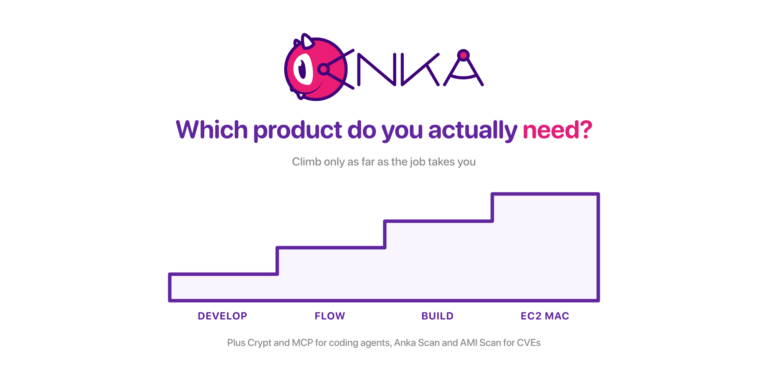
If you need self-hosted macOS GitHub Actions runners with clean VMs per job, start with Anklet on a single Mac host using the steps above, then move the receiver to Linux and scale handlers across your fleet. Source and releases: github.com/veertuinc/anklet. Product path: Anka Build or an Anka Build trial.
GitHub-hosted macOS runners vs Anka self-hosted
GitHub-hosted macOS runners are convenient for light or medium workloads, but enterprises often hit limits around concurrency, image control, security isolation, and cost at scale. Anka (with Anklet) lets you run self-hosted macOS GitHub Actions runners on isolated Apple Silicon VMs you control: on your Mac fleet or cloud Macs such as AWS EC2 Mac.
| Need | GitHub-hosted macOS | Anka self-hosted (Anklet) |
|---|---|---|
| Ephemeral / clean VMs | Limited control over the hosted image | Single-use Anka VMs per job |
| Enterprise macOS CI scale | Hosted concurrency and minutes caps | Scale on your own Mac hardware or EC2 Mac |
| Custom tooling & Xcode versions | Constrained by GitHub images | Bake and version your own Anka templates |
| Security / isolation | Shared hosted environment model, though, with Anka’s isolation enabled | On-prem hardware fully isolated |
| Resources | Shared hosted environment model, limiting resources for VMs on the host | Ability to use full resources of the machine running the VM for a single VM if needed for specific workflows |
| Cost predictability | Hosted macOS minutes add up quickly | Use capacity you already own or rent |
If you are evaluating enterprise macOS CI or need reliable GitHub Actions macOS capacity beyond hosted runners, start with Anka Build and Anklet: see Anka Build and the Anklet GitHub repo.
FAQ: Enterprise macOS CI and GitHub Actions
What is the best way to run GitHub Actions on macOS for enterprises?
For many teams, Github’s macOS runners are good enough. However, often larger enterprises need to fully manage and secure their own hardware. Anka provides isolated macOS VMs; Anklet connects those VMs to GitHub Actions so jobs get clean, ephemeral environments instead of long-lived bare hosts.
How is Anka different from GitHub-hosted macOS runners?
GitHub-hosted runners are fully managed but limit image customization, concurrency, and cost control. Anka self-hosted runners give you control over the macOS image, VM lifecycle, resources assigned to VMs, and where compute runs (on-prem Macs or cloud Mac instances).
Can Anka help with enterprise macOS CI at scale?
Yes. Anka Build is designed for on-demand macOS VMs in CI/CD. Paired with Anklet, enterprises can scale GitHub Actions macOS workloads with better isolation and more predictable capacity than hosted-only macOS minutes.
Where should I start?
Read the Anklet setup sections above, explore Anka Build, or start an Anka Build trial.