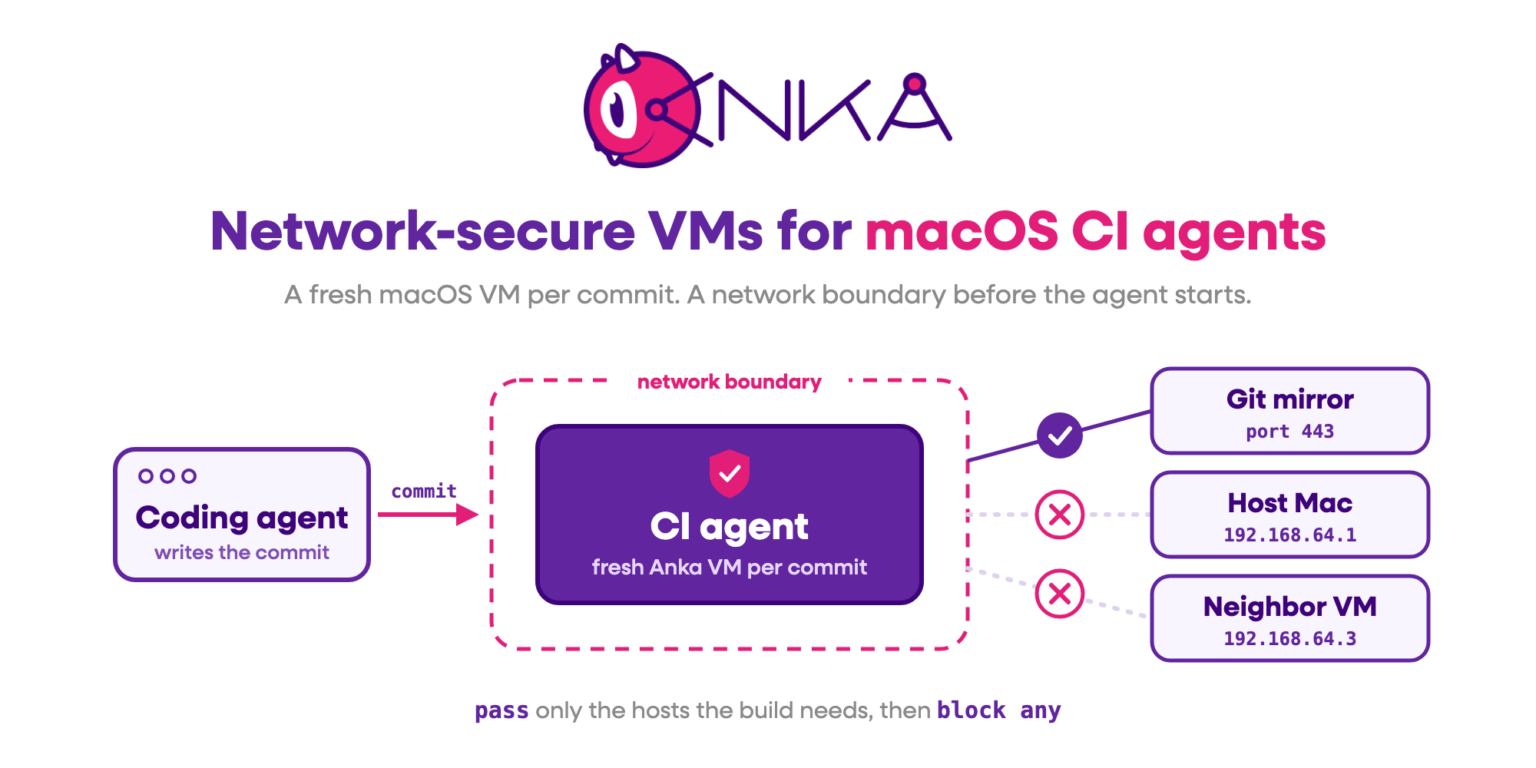
When a coding agent writes the commit and a second agent validates it, the second agent should start on a clean Mac and reach only what the build needs. For iOS and macOS, that means a fresh macOS VM for every commit, with a network boundary drawn before the CI agent starts.
The job to be done
AI coding agents now make code changes, run unit tests, and commit. A CI agent then picks up that commit. The flow most teams are building looks like this:
- A coding agent changes the source tree and runs unit tests.
- The coding agent commits the change.
- A CI agent starts in a disposable environment.
- The CI agent builds and validates that exact commit.
- Results go back to the pull request or pipeline.
- The environment is destroyed.
The split between steps 2 and 3 matters. The coding agent works iteratively and collects state as it goes: installed packages, caches, credentials, half-finished experiments. The CI agent should validate the commit from a clean state and inherit none of that.
On Linux, a container covers the clean state. iOS and macOS builds need a real macOS environment on Apple hardware, with the macOS and Xcode versions the project needs available on demand.
The problem with macOS CI agents on open networks
A traditional CI job runs a fixed sequence of scripts. A CI agent driven by an LLM makes decisions while the job runs. It can invoke tools, run shell commands, read files, install software, retry failed steps, and call external services.
A disposable VM stops one job’s filesystem from leaking into the next job. It does not decide what the agent can reach while the VM is up. With default networking, a CI agent in a macOS VM can often reach:
- the Mac host it runs on
- other CI VMs on the same host, including jobs for other repos
- internal engineering services such as artifact stores, dashboards, and admin APIs
- package repositories and arbitrary Internet endpoints
- build infrastructure that has nothing to do with this job
Disposable does not mean secure. Each CI agent should get the network access its build needs and nothing more.
Why this is harder on macOS
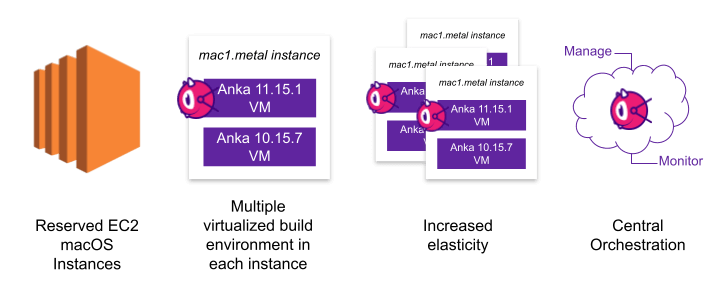
Mac hardware is expensive, so teams run more than one VM per host. That puts CI agents for different jobs side by side on the same machine at the same time. Isolation has to hold between agents running now, as well as between jobs over time.
Default virtual networking is built for convenience. Guests share a private subnet, reach the host gateway, and see their neighbors. That helps a person who wants to SSH in and install a package. It is the wrong default for an agent that runs commands it chose itself.
The environment is also recreated for every commit. A host firewall rule that someone set by hand on one node does not follow the VM to the next node, and it drifts. Any network control for CI agents has to ship inside the template that every job clones.
How Anka handles it: the VM is the agent’s boundary
Treat each disposable macOS VM as a capability boundary around one CI agent run. Before the agent starts, the orchestration layer picks the template, the network rules, and the short-lived credentials for this job. The agent then works inside that VM. The rules decide whether it can reach the host, a neighbor VM, or a service outside the job. When the job ends, artifacts and results leave and the VM is deleted.
Anka Build gives you both halves of that model.
Disposable macOS VMs across a Mac cluster
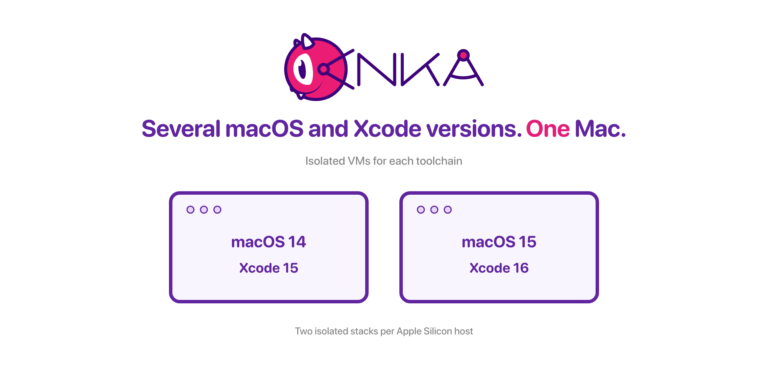
You keep VM templates in the Anka Registry, one tag per macOS and Xcode combination. The Anka Build Cloud Controller starts an instance from a tag on any node with free capacity, and deletes it when the job is done. Each job starts from the tagged template, so nothing from the previous job is present. See running several macOS and Xcode versions on one Mac for how teams lay out those tags.
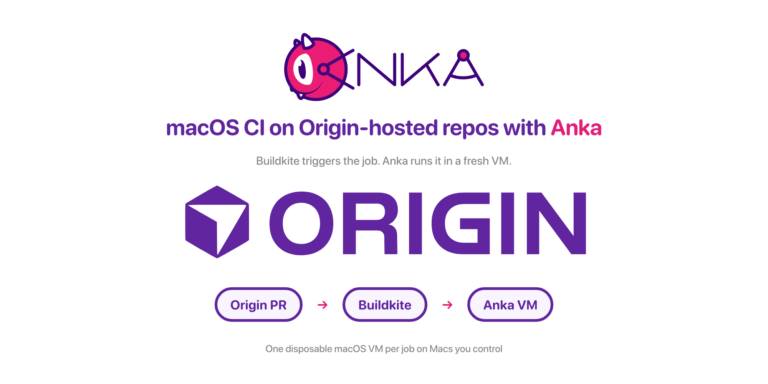
CI systems request these VMs through Anka plugins and integrations for Jenkins, GitLab, Buildkite, and GitHub Actions. If your repos live on Cursor Origin, the Origin, Buildkite, and Anka walkthrough shows the path from pull request to VM. For GitHub Actions at scale, see enterprise macOS GitHub Actions runners with Anka.
A network boundary that ships with the template
Anka’s network controls live in the VM configuration, so they travel with the tag to every node that pulls it. IP filtering and the advanced security CLI features require an Enterprise or Enterprise Plus license. The rules work on shared networking. anka modify refuses the change while the VM is running (is running). Stop the VM, apply the rules, then start it.
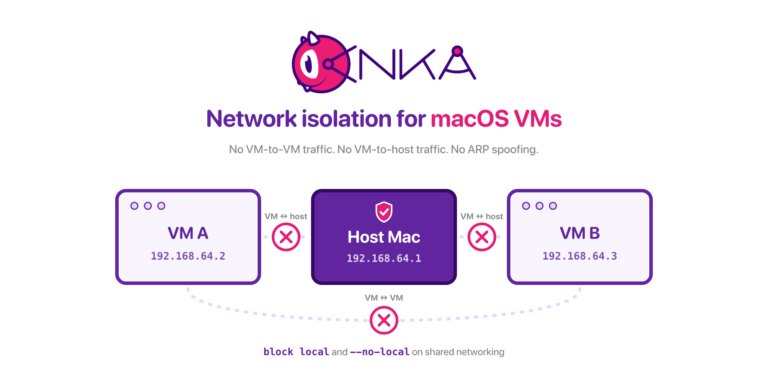
These results are from Anka Build Enterprise Plus 3.10.0. Two shared-mode VMs used 192.168.64.2 and 192.168.64.3. The host gateway was 192.168.64.1.
block local stops the host and the peer VM. It leaves the public internet open. From the guest on .2, before any filter:
$ ping -c 2 192.168.64.1
64 bytes from 192.168.64.1: icmp_seq=0 ttl=64 time=0.307 ms
64 bytes from 192.168.64.1: icmp_seq=1 ttl=64 time=2.874 ms

$ ping -c 2 192.168.64.3
64 bytes from 192.168.64.3: icmp_seq=0 ttl=64 time=1.494 ms
64 bytes from 192.168.64.3: icmp_seq=1 ttl=64 time=0.513 ms

$ ping -c 2 1.1.1.1
64 bytes from 1.1.1.1: icmp_seq=0 ttl=53 time=74.853 ms
64 bytes from 1.1.1.1: icmp_seq=1 ttl=53 time=73.482 ms
After echo "block local" | anka modify ci-agent-net-a network -f- and a start, anka show ci-agent-net-a network -f printed block local. The same pings:
$ ping -c 2 192.168.64.1
Request timeout for icmp_seq 0
2 packets transmitted, 0 packets received, 100.0% packet loss

$ ping -c 2 192.168.64.3
Request timeout for icmp_seq 0
2 packets transmitted, 0 packets received, 100.0% packet loss

$ ping -c 2 1.1.1.1
64 bytes from 1.1.1.1: icmp_seq=0 ttl=53 time=13.323 ms
64 bytes from 1.1.1.1: icmp_seq=1 ttl=52 time=13.249 ms
--no-local is the network-card flag, separate from the filter file. With the filter off, anka show reports no_local | 1. Pings to .1 and .3 timed out. The ping to 1.1.1.1 still got a reply. arp -a inside that VM showed the peer as (incomplete), so it did not learn the peer MAC. The peer VM, still on the default --local, did learn this VM’s MAC. The gateway MAC was still listed inside the --no-local VM.
Network Isolation for macOS VMs covers ARP spoofing prevention and the rest of the control list. ARP spoofing prevention stays on when you keep experimental nat off the template.
Per-job settings from the Controller
The template sets the default boundary. The Controller’s start instance API lets the orchestration layer adjust it per job:
tagpicks the macOS and Xcode image for this commit.network_localwithforceOffturns off VM-to-host networking for this instance before it starts.startup_scriptruns inside the VM after the network is up. You can pass environment variables in it, such as the commit SHA and a short-lived token scoped to this job.external_idstores an arbitrary string with the instance, so you can tie each VM to the commit it validated.groupsets the Permission Group for the instance when Resource Permissions for Permission Groups is on.
A DELETE on the same endpoint terminates the instance when the CI agent reports back.
An allowlist for one CI agent VM
block any after a single pass out is not enough. That file left the guest with no default route (route: writing to routing socket: not in table), and every ping failed with sendto: No route to host. DHCP uses ports 67 and 68. Those packets have to match a pass rule before block any. Return traffic needs its own pass in. The first matching rule wins, so the pass lines go above block any.
Stop the VM, then embed the file. 1.1.1.1 stands in for the one host this job may use. Swap it for your Git remote or package mirror.
anka stop ci-agent-net-a

cat <<'EOF' | anka modify ci-agent-net-a network -f-
pass out from port 68 to port 67
pass in from any port 67 to any port 68
pass in from 1.1.1.1
pass out to 1.1.1.1
block local
block any
EOF

anka show ci-agent-net-a network -f
anka start ci-agent-net-a
anka show printed those six lines back. From inside the guest:
ping 1.1.1.1got replies (51 ms and 126 ms).ping 8.8.8.8,ping 192.168.64.1, andping 192.168.64.3each ended with100.0% packet loss.
A port rule is narrower than a host rule. This file allows DHCP, plus port 443 to 1.1.1.1 in both directions:
pass out from port 68 to port 67
pass in from any port 67 to any port 68
pass out to 1.1.1.1 port 443
pass in from 1.1.1.1 port 443
block local
block any
curl -m 8 -o /dev/null -w "%{http_code}" https://1.1.1.1 printed 301. ping 1.1.1.1 timed out.
Put block any first and the later pass lines never run. The same 443 rules under block any made that curl fail in 13 ms: Couldn't connect to server.
A second anka modify … network -f- replaces the whole set. After echo "block any" | anka modify ci-agent-net-a network -f-, anka show … network -f printed only block any.
anka modify … network --filter off clears the file. Add --no-local in the same stopped window if you also want the card-level cut. Do not stack --no-local on the allowlist unless you have checked that your mirror is still reachable. --no-local with no filter still reached 1.1.1.1 and still blocked .1 and .3.
Which control covers which risk
| Risk | Control |
|---|---|
CI agent pings the Mac host (192.168.64.1) | ipf: block local. Or --no-local |
| CI agent pings the VM next to it | ipf: block local. Or --no-local |
| CI agent reaches the rest of the internet | ipf: DHCP pass rules, then pass for each approved host, then block any |
| CI agent uses only HTTPS to one host | ipf: pass … port 443 in both directions |
A later pass never matches | ipf: keep block any last. First match wins |
| Peer learns this VM’s MAC | --no-local: set it on every VM that must stay hidden |
A strict allowlist has a cost. If a build fetches dependencies from public registries at run time, block any will break it. Point the build at a mirror you pass, or install the dependencies into the template. Keep a separate tag for people who debug builds by hand.
The Controller start-instance API can set network_local to forceOff for one job. That is the per-job form of --no-local.
Ephemerality and isolation solve different problems
Ephemerality gives every CI agent a clean starting point and removes its state when the job ends. Network isolation controls what that agent can reach while it is alive. A fresh VM with an open network still lets an agent reach your host and its neighbors, and a locked network on a long-lived VM still carries state from one commit to the next.
CI systems driven by coding and validation agents need both on macOS.
Thanks for reading. If you have any questions please reach out to the team at support@veertu.com or jump right in by requesting a trial license: https://veertu.com/getting-started-trials/