iOS 12 USB pairing with Anka VM for iOS CI

In iOS 12 the lockdown procedure (mutual authentication of USB host and iOS device on each other) was modified. This lockdown procedure affects the workflow of attaching iOS devices to Anka VMs with USB pass-through for iOS CI real device testing using Anka Build or Anka Flow.


We have fixed this issue in Anka version 1.4.3 and also determined that a specific set of instructions are required to pair iOS 12 device with the Anka VM Template and then it can be used in a fully automated manner as part of CI.


Step 1 – If the device in the past, was already connected to host (on which the VM is going to run), then remove host record from the device DB, i.e., make the device forget the host. Execute the following to do this.

  • Detach the device from the host
  • On the device, Select Settings -> General -> Reset -> Reset Network Settings.
  • Step 2 – Attach the device to host and “Don’t Trust” the host in the dialog box that appears on the Device.
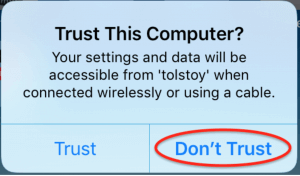


    If a dialog box also appears on the host, don’t ‘trust’ the device on the host.
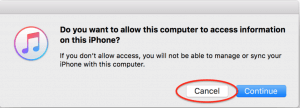


    Step 3 – In the terminal window on the host, claim the device with these commands.


    sudo anka usb list

    sudo anka sub claim -n ios12iphone iphone/location

    “-n” flag can be used to associate a name with the claimed device. You can claim multiple devices connected to the same host with the same name, thus creating a group(name).
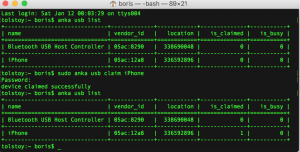


    Step 4 – Attach the device to the VM.


    anka start -d iPhone VMNAME


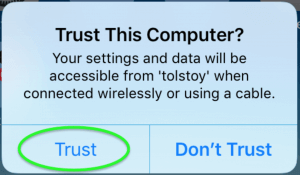
    The trust dialog will appear again on the device. Click on ‘trust’ the VM.


    and allow access to the device in the VM (trust device)
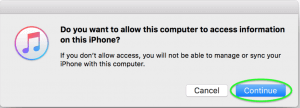


    Now the VM and the device are paired and accessible in Xcode and iTunes. You could detach the device, suspend or stop the VM. Next sessions of the VM or its clones on any other host should silently connect the device without additional prompts.
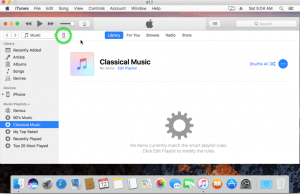


    Important – To pair another iOS12 device or other VMs, repeat steps 2 – 5, and make sure to “Don’t Trust” host on which you are performing the pairing. Contact us in our slack channel with additional questions on how to use the real devices with Anka Build dynamically provisioned VMs.
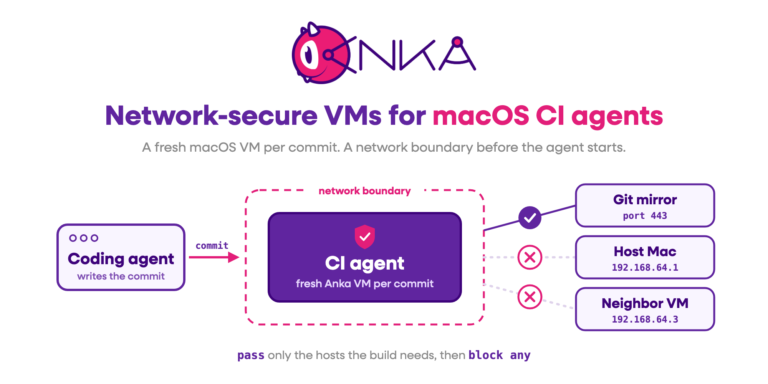
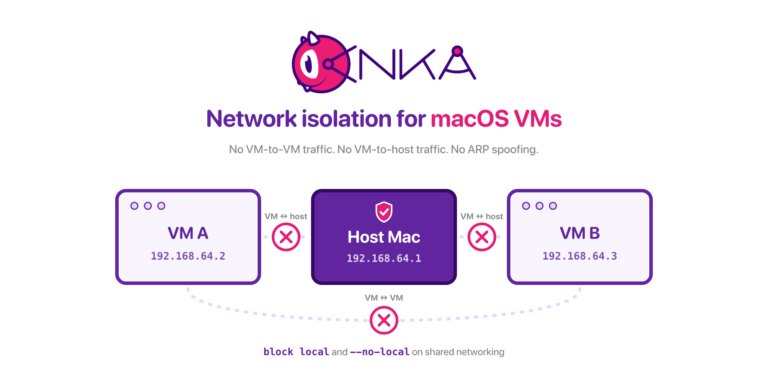
    Share this post

    anka-and-kubernetes
    On-Demand macOS VMs in Azure DevOps Pipelines with Anka
    Run macOS VMs in Azure DevOps Pipelines with Anka. Anklet-style on-demand agents are blocked by Microsoft self-hosted pools today; use a registered agent plus per-job Anka VMs.
    Read More
    AWS + Anka Build Cost Diagramv3
    Ephemeral macOS VMs on AWS EC2 Mac with Anka
    Run ephemeral macOS VMs on AWS EC2 Mac with Anka and Anklet. Pack more iOS CI capacity per instance, start jobs in seconds, and cut cost.
    Read More
    Screenshot 2025-01-08 at 2.16
    Enterprise macOS GitHub Actions Runners with Anka
    Run self-hosted macOS GitHub Actions at enterprise scale with Anka and Anklet: ephemeral Apple Silicon VMs, more control than hosted runners.
    Read More
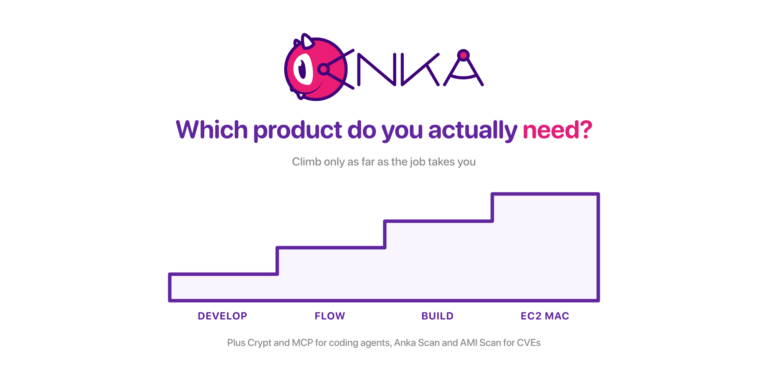
    The Anka product ladder: Develop, Flow, Build, and EC2 Mac as four ascending steps, with Crypt, MCP, Anka Scan, and AMI Scan named below
    Which Anka Product Do You Actually Need? A Walkthrough of the Whole Lineup
    A situation-first guide to every Veertu product: Anka Develop, Anka Flow, Anka Build, AWS EC2 Mac, Anka Crypt, Anka MCP, Anka Scan, and EC2 Mac AMI Scan, including the moment you move from one to the next.
    Read More
    anka2024v1-1536x768
    A Year of Anka: Highlights from 2024
    We’re starting a new annual tradition here at Veertu with our A Year of Anka blog posts. We want our customers to know how the product has grown over the past year and think this is a great avenue to do so. Please enjoy and happy holidays from all...
    Read More
    anka-or-1
    Anka vs Orka in 2024
    It has been several years since we made our first side by side comparison between Anka and Orka. A lot has changed, and we believe it’s important to make sure the information out there is accurate. We’ll be specifically addressing a newer...
    Read More
    networking-performancev1
    Unlocking Superior macOS VM Network Performance: Introducing Anka's new networking mode for Apple Silicon
    Large and complex enterprises using Anka have many different demands, and we have worked to continue to develop innovative technology to meet these demands. Enterprise infrastructure hardware is often on the cutting edge, and they need advanced capabilities...
    Read More
    gitlab-with-anka
    Anka Cloud Gitlab Executor
    Veertu’s Anka and the new Anka Cloud Gitlab Executor Veertu’s Anka is a suite of software tools built on the macOS virtualization platform. It enables the execution of single or multi-use macOS virtual machines (VMs) in a manner similar to Docker....
    Read More
    mac-scan-v1
    Real-Time CVE Scanning of your macOS Build Systems
    It’s common that an organization’s macOS build system will download thousands, sometimes tens of thousands of third-party dependencies every hour. When building and testing iOS applications, it typically downloads and installs third-party...
    Read More
    anka-on-silicon-v1
    The ONLY Fully Automated Apple Silicon macOS VM Creation Solution
    Starting in Anka 3.1 we announced that Anka is now able to fully automate the macOS installation processes, disabling SIP, and enabling VNC — all previously manual steps users had to perform inside o the VM. At the time of writing this article,...
    Read More