Recommended · Anka Build
Anka Build: on-demand macOS VMs for your CI fleet
Provision clean, ephemeral macOS VMs from pre-built templates across Apple Silicon and Intel hosts, orchestrated from the CI tools you already run.
Anka Controller
Central dashboard with intelligent queueing and load balancing across nodes, VM instances, templates, auth, API endpoints, and logs.
Anka Registry
Versioned VM templates and tags distributed to every node, with delta-only transfers that resume where they left off. OCI support also available!
Anka Build Nodes
Runs on any Apple hardware. Caches VM templates and tags on each host machine (“node”) for fast CI job starting.
GPU-Metal support
Metal API access inside macOS VMs for hardware-accelerated graphics tests and faster iOS simulator performance.
Real device support
Attach real iOS, Android, and other USB devices to provisioned Xcode VMs from the CLI or REST API.
Enterprise ready
Single Sign-On, network security and isolation features, VM network -> host-only VPN routing, priority provisioning, high availability, and more.
CI/CD plugins and integrations
Plugins for the tools your pipeline already uses, plus Controller and Registry REST APIs and an MCP server for AI agents.
JenkinsGitHub ActionsGitLab Runner + Anka ExecutorTeamCityBuildkiteAzure DevOpsREST APIAnka MCP
Support from the people who build Anka
Reach us over Slack or email and talk directly to the engineers who build Anka. Customers tell us it feels closer to having another colleague on staff than to filing a support ticket. Join Slack or email the team.
Recommended · Anka Crypt · Anka MCP
Let AI agents run unattended in a macOS VM they can’t break
Coding agents want full permissions on a Mac. Anka gives them a disposable clone instead of your development environment, so a bad run costs you a delete rather than a rebuild.
Anka Crypt
Shadow clones
Clones a prepared base VM into a shadow clone and launches your agent inside it in unattended mode. Works with Claude, Codex, Grok, and others.
State that survives sessions
Crypt keeps the clone running between sessions, so an agent picks up where it left off instead of starting cold every time.
The base VM is never touched
Every session works on a fresh clone. The prepared template stays untouched, so an agent that goes wrong has nothing durable to damage.
Anka MCP
MCP server
Lets agents request and manage Anka macOS VMs themselves, backed by either the Anka Build Cloud Controller or the local Anka CLI.
A small, fixed tool set
Agents get five operations: list templates, start, inspect, get SSH access, and delete. There is no tool for running arbitrary commands.
Per-agent tokens and isolation
Each client token can only see and terminate the VMs it created. Revoke a token and its VMs are cleaned up automatically.
Per-VM traffic filtering
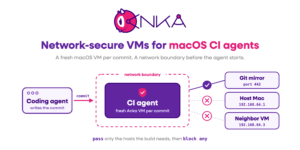
Give each VM its own firewall rules in the style of ipf.conf. Start from block any and open only the hosts and ports the agent needs, so a stray download has nowhere to go. Most macOS virtualization tools stop at Apple’s defaults.
Cut the agent off from your host
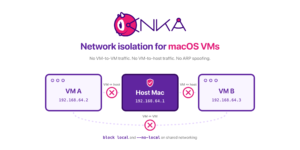
A single block local rule stops the VM from reaching the host or any other VM on the same machine. ARP spoofing prevention is on by default in every network mode except experimental nat.
Offline and LAN-free modes
Switch a VM to host mode so it cannot reach anything beyond the machine it runs on, or disconnected to unplug its network cable entirely for a fully offline agent run.
Route the VM through a VPN on your host
Connect the VPN once on the host and point the VM’s traffic through it. The agent reaches internal services without a VPN client or credentials inside the VM, so nothing sensitive lives in the disposable clone.
From one laptop to a shared fleet
Run the local backend so an agent drives VMs on a single developer Mac with a running-VM guard, or point Anka MCP at your Anka Build Cloud Controller and hand agents VMs from the same fleet your CI uses. Agents generate their own SSH keypair locally, and the server never stores private keys.
ClaudeCodexGrokCursorAny MCP client
Support from the people who build Anka
Reach us over Slack or email and talk directly to the engineers who build Anka. Customers tell us it feels closer to having another colleague on staff than to filing a support ticket. Join Slack or email the team.
Recommended · Anka on AWS EC2 Mac
Run multiple macOS VMs on every EC2 Mac instance
Anka runs as a Type 2 hypervisor on top of each EC2 Mac instance, so one dedicated host runs several isolated build environments instead of a single one.
Denser VM packing
Run multiple concurrent macOS VMs on the same EC2 Mac instance, including different macOS versions and dependency stacks.
Ephemeral CI runners
Provision and delete macOS VM agents directly from your CI across an EC2 Mac cluster, with little to no start time delay.
Infrastructure as code
Create AMIs and VM templates/tags with your existing Packer or Ansible automation and manage versions in a central registry on EC2, Kubernetes, or Docker.
Near-native performance
Built on Apple’s hypervisor and virtualization frameworks for both Intel and Apple Silicon EC2 Mac instances.
Lower cost per build & hassle
More build environments per dedicated instance means fewer instances for the same iOS CI throughput. AWS EC2 Mac Instances rely on dedicated hosts that must be running for at least 24 hours before release and don’t always have availability when you need to start a new one.
Scan before you ship
Pair with EC2 Mac AMI Scan to check every AMI for known CVEs without launching an instance.
Support from the people who build Anka
Reach us over Slack or email and talk directly to the engineers who build Anka. Customers tell us it feels closer to having another colleague on staff than to filing a support ticket. Join Slack or email the team.
Recommended · Anka Scan · EC2 Mac AMI Scan
Vulnerability scanning built for macOS build environments
Two scanners covering the places CVEs enter an Apple CI pipeline: Anka VM image templates and EC2 Mac AMIs.
Anka Scan
At-rest scanning of Anka macOS VM images and registry templates, so you catch vulnerable packages before they reach a build.
EC2 Mac AMI Scan
Scan an AMI’s file system without starting an instance and without running any foreign code inside it.
Vulnerability management
Bill of materials, severity, file location, and remediation guidance, checked against a trusted NVD database.
Continuous scanning
Recurring scans surface newly disclosed CVEs in image templates you already published to the Registry.
Stays in your network
Scans run inside your own environment. No code, configuration, or data is shared with third parties.
Machine-readable reports
JSON and SIEM-ready output so findings drop into the security workflows you already run.
Support from the people who build Anka
Reach us over Slack or email and talk directly to the engineers who build Anka. Customers tell us it feels closer to having another colleague on staff than to filing a support ticket. Join Slack or email the team.
Recommended · Anka Develop · Anka Flow
Sandboxed macOS VMs on every developer’s Mac
Run builds and tests inside disposable local VMs, isolated from the developer’s own Xcode environment, with no dedicated build hardware required.
Anka Develop (free)
Local macOS VM for personal CI. Commits trigger builds and tests in a refreshable VM on the laptop, with no build farm required.
Faster feedback
Builds run on the developer’s own machine instead of queueing behind a shared CI fleet or paid macOS minutes.
Anka Flow
Create reusable iOS development VMs and share them across the team through a central registry with tag-based versioning.
CLI and Anka Viewer
Work inside the VM with anka run or SSH, or open the Anka Viewer window for GUI control, with no VNC needed.
Devices and mounts
Attach USB devices for real-device testing and mount host directories straight into the VM.
Clean upgrade path
Move the same container-like workflow to Anka Build Cloud when commit volume and team demand grow.
Support from the people who build Anka
Reach us over Slack or email and talk directly to the engineers who build Anka. Customers tell us it feels closer to having another colleague on staff than to filing a support ticket. Join Slack or email the team.